Showing posts with label The Old Schoolhouse. Show all posts

Thursday, December 8, 2011

Artistic Pursuits- Review

Photobucket


I jumped right into this with my 8th grader, Michaela. She has had some *bad* art experiences in life. When I pulled this out, she moaned and groaned and begged not to. I agreed with her, that we would do just the first two units, and then if she didn't want to continue, we wouldn't. After I did unit one with her, she has continued on to do unit two and says she will keep doing them. She enjoys them, and doesn't feel the pressure to be perfect. Of course, she is finally making art that looks like "art", which has boosted her self-esteem and she is proud of what she has done. 

I would love to share with you her pastel picture she made of an elk, but I can't get my camera to upload to my computer. Just let me tell you, it's going to be framed and hung in our home. 

The program doesn't just teach art, it teaches art history, art appreciation, techniques, and how to apply all of those things. Also, it helps the student to build a visual vocabulary. 

The price for this book is $42.95. They also have books all the way from pre-school age to 12th grade. The books are non-consumable, which means that your family can use them over and over again. You can also buy the art supply packs to go along with the curriculum.

I received this product free of charge in exchange for an honest review as part of The Old Schoolhouse Review Crew. You can visit the blog by clicking the banner below, and read reviews of this product and others. 

Photobucket


Photobucket

Wednesday, November 9, 2011

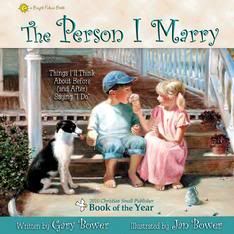
"The Person I Marry", Bower Books- Review

Photobucket

I am going to start out this review by telling you that this book, "The Person I Marry", is a book I believe should be on every family's bookshelf. Society today has put a different definition on marriage, and has almost made a mockery of the sacred institution. That standard in today's society is not god enough for my family, and it is not good enough for God. Marriage is a beautiful gift given to us, and it is one that is to be taken seriously. This is the very accurate description they give of the book on their website:

Respect, kindness, honesty, faithfulness, thoughtfulness, patience - qualities like these make strong marriages.  Created by award-winning author & illustrator team
Gary & Jan Bower (married 32 years), this adorable book warms the hearts of all ages in its celebration of commitment,purity & true love!

My children have talked about "when I grow up and get married" since they were tiny tots. Of course I have told them the importance of character when the time to court or date comes along. But, how do I reinforce that? What exactly are those character traits that will help to make a marriage stronger and align more clearly with the plan God set forth for marriages? 

This book "The Person I Marry", by Gary (Author) and Jan (Illustrator) Bower answers that question beautifully.


"The Person I Marry" can be purchased for $11.99. It is part of the "Bright Future Series" which includes:
  • There's a Party in Heaven (for encouragement in times of loss)
  • The Person I Marry (looking for character traits in a mate)
  • There's a Jingle in my Pocket (dealing with money matters for children)
  • What do Heroes Wear (about serving others)

From the Author & Illustrator:
"The Person I Marry" has received wonderful endorsements from Gary Smalley, Eric & Leslie Ludy, and the Duggar Family.  This book is part of our "Bright Future Series" which shares Biblical principles for families in beautiful and down-to-earth ways.  The Person I Marry was awarded "2010 Book of the Year" by the Christian Small Publisher Association.  We created this book the year of our 30th anniversary as a tool for tenderizing the hearts of our own 12 children, and sparking comfortable conversation about marriage amongst ourselves.  We hope you like it!

Bower Books has many other books available that I am sure are just as lovely. We have some on our shelves already, and after reading "The Person I Marry", we will be adding more.

Photobucket

Disclaimer: I received this product in exchange for an honest review. My favorable review was not a condition of this arrangement. For this review, and for other reviews of the same product and more, please visit the Old Schoolhouse Homeschool Crew Review Blog. 
Photobucket

Monday, October 31, 2011

Excellence in Literature-Introduction to Literature, English 1 (review)

Photobucket


Literature was always one of my favorite subjects in school and college. I wish my children were naturally the same. However, they are not. 

I have heard Janice Campbell, the author of Excellence in Literature, speak at a homeschool conference. I was impressed with her approach to learning and her unique way of presenting academics. I had planned on getting Excellence in Literature to try for my kids, but had not done it yet. Then the opportunity to review the program (Introduction to Literature, English 1) came up and I jumped at it. 

The study I reviewed came in ebook form. At first, that challenged me. I do not  do well at reading for long periods of time on the computer, and neither do my children. Thank goodness there are easy options! I did not want to use my ink to print all 131 pages of the book, so I sent it to Staples to be printed. I also had it bound with metal spiral and put a hard cover on it. It cost me $13 and some change. Pretty inexpensive, and now I have it in both forms! There are links in the book and I can use the ebook to easily pull those up. 

When I got it all printed up, I sat down and read through it. I enjoyed it and I learned things I, a self proclaimed literature junkie, did not know. I decided to start off by assigning my daughter (an 8th grader) a few pages a day to read, up until the first unit. Well, the first day she read beyond what I had assigned her and asked to start the first unit! I wondered if in fact this were my daughter, and not one the aliens had replaced when they stole mine. She has since worked through almost two units, and is even doing the extra work, the honors track (even though I did not assign it). I am amazed that this is my literature reluctant 8th grader doing work of high school honors! It has also created in her an excitement for literature and writing that was not there previously. She even chose a non-assigned 700+ page book to read for pleasure, and that has NEVER happened. She is starting discussions with us and others that are deep and thoughtful. I cannot express to you the change in her that just the last few weeks of doing EIL has created! In addition to those things, it is teaching her to evaluate everything more thoroughly, and how to learn in new ways. 

So, with that being said I tell you I am won over. This is a curriculum that will be in our schoolroom permanently. 

This is what Everyday Education says is so spectacular about Excellence in Literature, and I must tell you I agree:
  • Carefully-chosen great books increase cultural literacy.
  • Self-directed courses encourage independent learning.
  • College-style syllabus helps to prepare students for university academic experiences.
  • Week-by-week lesson plans make it easy to know what to do when.
  • Honors Option provides motivated students the opportunity to earn advanced placement or college credit.
  • Evaluation rubric makes grading simple.
  • Carefully designed end-of-semester evaluation reports provide a detailed snapshot of progress.
  • Context readings provide in-depth understanding of literature in its historical and artistic context.
  • Students will be introduced to books they'll never forget.

The Excellence in Literature-Introduction to Literature, English 1 curriculum is for the age range of 8th-12th grade. You can get it in the print version ($29 + $4.95 S&H) or in the ebook format ($27). You can also try it out for free, with the sample unit.


I was given this curriculum free of charge to me in exchange for an honest review. My favorable review was not a condition of this exchange. You can read other reviews of this product and others over at the Old Schoolhouse Homeschool Crew Blog.


Photobucket

Tuesday, October 25, 2011

Say Anything (North Star Games) - Review

Photobucket

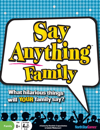
SayAnything Family is a fun family game that comes loaded with a lot of laughs. No no, they're not in the box, but, I promise you, they are there. It's also easy to play. No complicated rules and regulations and no exceptions. Just open, read the few rules, and play.

The game. another product from North Star Games, is listed for ages 8+ years, for 3-8 people. Well, we got this to review and it was just me, the 6 year old, and the 13 year old when I decided to pull it out. What to do, what to do? We decided since the 6 year old could certainly understand the concept, we'd just write his answer down for him. Stay tuned for how THAT turned out!


Photobucket


First, let me explain a little about the game, you basically have a judge who reads a question and the other players have to write down their answer to that question. The judge then secretly chooses the best answer and lays the "Selectomatic 6000" down, which has their judgement recorded. Then, the players place their tokens on which answer they think the judge will vote for. If they get it right, they get points for their wagers. The judge gets points for every wager that is placed on their answer. Now, everyone gets to be the judge. The turns rotate. 

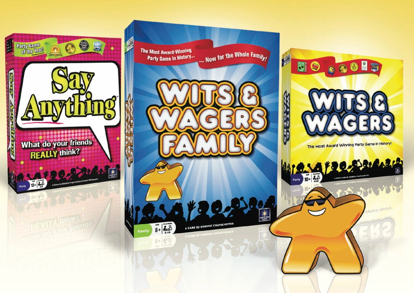
Playing with a 6 year old boy can be quite entertaining. When asked, "What is the best rap song?" he responded "the one about saran wrap". When asked "Which celebrity's house has the best Halloween Candy?" he answered "Mickey Mouse". My favorite was when asked "Which celebrity would make the worst presidential candidate?" and he answered "OBAMA!". Anyhow, it was a hoot. When Daddy got home that same evening, we insisted he play with us too. Now when he comes home he requests our nightly game either be this or Wits & Wagers Family, from the same company.  We all laugh so hard playing these games. It's a great stress reliever!

Photobucket

You can buy "Say Anything Family" at local retailers like Target, Barnes & Noble, and Toys R Us (as well as other stores, the website has a store finder app) as well as online at various retailers. The price varies from $13-$15 at most of the retailers I have found. 

I have received this product free of charge in exchange for an honest review. My favorable review was not a condition of this exchange, just honesty. You can see other reviews for this product, as well as many other if you click on the Old Schoolhouse Crew banner below. 

Photobucket


Photobucket

Friday, October 21, 2011

North Star Games- Wits & Wagers Family (Review)

Photobucket

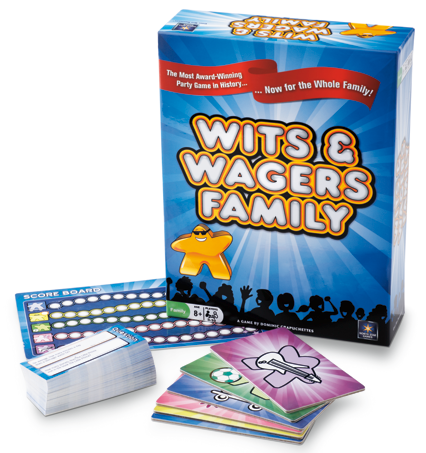
Wits & Wagers Family is a product from North Star Games. It is a party style game, which can be played by individuals playing against one another, or up to 5 teams. It is a family friendly version of their game "Wits & Wagers".  This is what North Star has to say about this game:


Wits & Wagers Family simplifies the rules and scoring system of the popular Wits & Wagers. Now families and kids can get into the Wits & Wagers action! First, every player writes down a guess to a fun question. Then players try to score points by choosing which guess is closest to the right answer without going over. That is it!
The game features 300 new family-friendly questions. And even better than that, Wits & Wagers Family includes Meeples-- fun, cute, human shaped wooden pieces that the players use to select which answers they think are correct. Meeples have been a hallmark in European style strategy games for years, but this is the first time they have made an appearance in a party game.
So check out Wits & Wagers Family, the game that combines laughter and learning in a way that all ages can enjoy together!


Photobucket


Our family loves to play games. We love this one especially. Everyone in the house can play, even the 6 year old. I mean, he can guess at things with the best of us! We like to pull it out in the evening after supper and have some bonding time over it. We also plan to take it to the deer lease with us to play with the other hunters & their families...it's just that fun! 

This week we had our weekly homeschool group get together, and I took the game to see how the other kids & families felt about it. I also wanted to see how well it worked with teams vs. individuals. We got into 5 groups and competed against one another, and it was an absolute blast! Every family there said that they were going to buy the game. I think that speaks for itself. One member did have a suggestion though, they suggested that the company make a Jr. version, just for smaller children to play together. Regardless, they still loved this edition. 


Something I have discovered about North Star games is how they stand behind their products. If you lose a piece or something breaks, they will replace it FREE of charge (as long as it is within the first year of purchase). What other game companies do that? Not any that I know of!

The game can be found at various online retailers and also in your local stores, like Target, Barnes and Noble, or Toys R Us. The price range I have found varies from $20-$30, depending on the store and whether you pay shipping or not. It is suitable for all ages. 


Photobucket


I was provided with this product as part of the 2011-2012 Old Schoolhouse Homeschool Crew. In exchange for the product, I agreed to do an honest review of the game. The review was not required to be favorable, just honest.
Photobucket      

Photobucket

Photobucket

Thursday, October 20, 2011

E-Mealz (review)

Photobucket

As a busy Mom, meal times have proven to be quite a challenge. We have had many days where we just ended up eating out (and I don't mean "fast food", as we don't really like it) or ordering pizza in. Sticking to a budget when you eat out too often is also a challenge. Continually this is an area where our family has struggled when it comes to staying within our means. It has been clear that it was time for a change, for some sort of way to make meal time easier, and also get our meal spending under control. Enter E-mealz...

E-meals is a company created by two Christian women, Jane DeLaney and Jenny Cochran. Jane and Jenny were busy mom's too, who saw a need to have a plan for meals and to also be frugal with that plan. With that goal in mind, they created the E-Mealz system.  This is what they say about their plan:

Manage your food budget and enjoy delicious dinner recipes at home.
Menu plans based on weekly grocery store sales, seasonal discounts
or diet preferences. Be meal-wise and money-wise with E-Mealz.
e-mealz meal plans...
  • are written and created by REAL moms with REAL families
  • are balanced and family friendly
  • are as easy as possible, but delicious and kid tested!
  • consist of favorite recipes collected from hundred of moms
  • come with an organized, aisle by aisle grocery list
  • are for 4 to 6 people
  • are based on the current week sales at your grocery
  • are priced at approximately $75 per week
  • Two person plans average $35 total per week 
E-Mealz is not only great for this reason alone, but it gets better. They have many different plans to chose from. Are you hesitant to look because you do not have a family to feed? Well, they have meal plans for two! They also have plans for 4-6 (which you can easily adjust yourself if you need even more).  On addition to this, they have options that cater to special diets. What special diets do they have to choose from?

  • Gluten Free
  • Low Fat
  • Low Carb
  • Portion Control
  • Vegetarian
They also have plans for ANY grocery store, or more specialized plans from the following stores:
  • Wal-Mart
  • Aldi
  • Publix
  • Kroger
  • Ralphs (Ca)
Now, how does this all work?


Photobucket

You go to e-mealz and sign up for a subscription. The cost of subscription is $1.25 per week, and is billed in $15 increments every three months. You can also cancel your subscription at any time if it is not a good fit for your family.  When you sign up, you pick which plan you think you want to use (you can switch later if you find it isn't fitting your needs, if your needs change, or if you just want to try another), then you pull up that weeks menu/grocery list, print it out, do your shopping and you are all prepared to fix your meals. How simple is that? It takes the stress out of menu planning, and grocery shopping lists, helps you stick to a budget, and allows you to focus on other important things. 

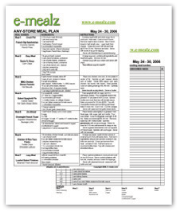
This is a sample of a weekly meal pan/grocery list.  (Click on it to be taken to a sample menu)

Photobucket

We have enjoyed using e-mealz, and will continue to subscribe even when our provided subscription runs out. Even so, I have created an e-mealz notebook where I print the menu and grocery list, and file them in order. This makes it easy for me to make notes about how my family liked the meal (loved, liked, and would prefer not to have again) and any changes I made or would like to make. I also love how on the grocery list it has space where you can add on the other groceries your family is going to need. 

Our family does not eat much seafood, and sometimes the meal plans include meals with seafood ingredients. I have found it easy to substitute another protein in those instances (mostly chicken) and think it would be just as easy to substitute seafood for other ingredients if your family is one who does eat a lot of seafood.  Also, sometimes there are meals I know my family will not enjoy. This is when I just cross it out and substitute a meal from my repertoire in or a past e-mealz meal that the family enjoyed. 

Using e-mealz has exposed my family to boundless new recipes that we probably wouldn't have tried before. The ease of the meals is such that even my children can follow the directions and prepare dinner. That is an added bonus. 

Whether you are cooking for one (get the meals for two, eat one serving for dinner, one for lunch the next day) or you are cooking for a couple, or you are cooking for a family...E-mealz will work for you. If you know someone who may struggle in this area, you can also give them a gift subscription. 

I was provided a subscription to e-mealz free of charge in exchange for my honest review of the product. My favorable review was not a condition of this exchange, and all opinions are my own.

Photobucket


Photobucket

Wednesday, October 19, 2011

Always IceCream (review)

Photobucket

Photobucket

Let me start out by saying I had fears when we received this product to review, because my daughter is a very mature 13 year old.  My concerns were totally unfounded though, as she loves this website. I find myself recommending it to those I know who have girls, because it is educational AND fun. 

You can get a free trial, to see how you like it.  It is very economical for a full subscription, which is $4.99 a month ($0.99 your first month) or $29.99/year. There are also other subscriptions you can check out at their website.  It also makes a great gift for those girls in your life. 

Here is a little about Always Icecream from the creators:

With Always Icecream, we’re trying to combine three important aspects of child-appropriate online learning in a unique way:
- Motivation: Girls experience Always Icecream as a fun “play” site, with a friendly community (parents can turn off the social features).
- Learning: Girls practice a wide variety of academic and practical skills in a playful way.
- Rewards and Recognition: Girls earn “$coops,” our in-game currency for playing learning games. This currency can be used to take care of online pets in PetWorld and decorate homes in MiniWorld. Achievements are recognized through medals and special awards as well as progress reports to parents.


Photobucket

Photobucket

Photobucket

The recommended ages for this site are 7-12, but I believe a younger child would enjoy it just as much, though they may need some assistance. I know my older child is enjoying it, so I would also just judge each child by their own maturity and interests. I will admit, as an adult I have also had fun on there.

I love that as a parent I can go in and get a report of all my child's activities on the site.

I have received a free membership to this site in exchange for an honest review.

Photobucket


Photobucket

Wednesday, September 21, 2011

Tri-Cross Board Game

We are a family who LOVES to play boardgames. We have our favorites, and were excited to be able to review Tri-Cross Eco Board Game by Games for Competitors.  On the product's webpage, you can find out all kinds of information about this game of strategy. Here is what the company has to say about the game:

"Being hailed as the “new chess,” Tri-Cross challenges competitors in the areas of strategy, critical thinking and problem solving in a fun and entertaining way. The board game, created by an Atlanta father-son duo, is designed to accommodate 2-4 players and can be played with varying degrees of difficulty, making it a perfect game for children as young as 8, families and seasoned strategists.

With accolades ranging from being named Dr. Toy’s 2009 100 Best Children’s Products to Creative Child Magazine’s Creative Toy Awards 2008 Game of the Year and earning the National Parenting Center’s Seal of Approval, Tri-Cross has sky rocketed to fame for its ease of play and fun, competitive nature."
Our family had a spur of the moment trip come up, where we joined my husband on a business trip. I knew we'd be spending a lot of time in the hotel room, while my husband worked, so I grabbed this new game to take along with us. I knew we'd have time to devote to playing it then. :)

I started out by reading the instructions, which are thorough, but a little challenging to understand. It became clear that the best way to decipher the way to play, was to just jump in an begin, instructions right by to guide us. I first only played with my 13 year old, so we played the 2 player game. After a couple of rounds, she was into it! Now, this is my chess player and my kiddo who loves strategy. We laughed and had a great time, and we spent hours playing Tri-cross. It's my daughter's new favorite game.

Since we began to play more, I decided to view the DVD that came with the game, and gained a deeper understanding as well as learned a different approach to the game (face up vs. face down).

This game has now been played with my three teens as well as by my teens with their friends, and it has earned a hearty "two thumbs-up" from all who have played.

My daughter has yet to be beat though, man is she good at it! We also have the eco travel version of the game, which has been put into our RV for more Tri-Cross fun when we travel (which is often, especially in hunting season).


If you would like to learn more about Tri-Cross, you can do so by going to the following links:

How to Play

FAQ's

News Segment

The cost of Tri-Cross is: $24.95 for the "Standard Edition", $35.95 for the "Wood Edition", and $19.95 for the "Eco-Edition". The game is for ages 10+. You can buy it from the Games For Competitors Store, or at one of the retailers listed here.

I have received this product as a member of the Old Schoolhouse Homeschool Crew, in exchange for a honest review.

Photobucket


Photobucket

Friday, August 19, 2011

The 2011-2012 Schoolhouse Planner (How *I* use it)


For years I have been using another homeschool planner. A pre-printed pretty planner with all kinds of nice extras built in. However, I was constantly scratching stuff out to replace it with my own text/subjects. Plus, I ran out of room for subjects because we do so many. Also, the space to write was small. There were many aspects of the planner I didn't use. This year I decided to go a different route and try the Schoolhouse Planner. Now, when I downloaded it, I will admit, I was quite overwhelmed. My first instinct was to print it all out. Yes, seriously. I was going to print all 818 pages.  Thank goodness I contacted Heidi (from Old Schoolhouse) and expressed my concern about the amount of information in that. Her advice to me was something along the lines of taking my time to go through it and only print what I would use. That helped some. But then...how do you look through 818 pages of digital info, and not get overload? How do you remember WHAT you want to go back to and what didn't matter? I had to develop a systematic approach. I have done that now, and I wish to share it with you. Now, I am still rather new to this planner. I have barely scratched the surface of what all you can do with it. Maybe later in the year I will do a follow up blog with any changes or additions I have made to my "system". Maybe someone searching for the perfect planner will see this and be encouraged that they can have a planner that suits ALL of their needs, not just the homeschooling ones.

These things I am going to list are what *I* have done. They may sound like "instructions", but they are only what *I* have done, not what MUST be done.

Navigating the Planner:

Create a "Homeschool Planner" folder on your desktop...see mine here in purple?


Then, download your planner to that folder OR, if you have already downloaded it, move it to that folder. Easy, right? 

Now, go ahead and open that puppy up! One of the best things about this planner is that it is searchable! If there is something specific you are looking for, just type it right up there in the right in that search box. In this one, I typed "recipe" and it pulled up all recipes. I can just scroll through and find one that suits my needs. 


I am about to have surgery, and my mother suggested I make some freezer meals, so I went and searched freezer and low and behold, I found this form:

Moving on: Now, the search function works REALLY well, but, I am a "hold it in your hands" kind of girl. I didn't want to print all 818 pages anymore, but I had to have something tangible, so I printed the table of contents. A word of caution, you have to pay attention when you want to print so that you do not tell your printer to print all 818 pages. You must choose the option to only print specific pages, like this:
With having the "table of contents" printed out, I can scan through it and make notes about which pages I would like to print, and also make note on there of frequently printed pages and what they are used for. I will get back to this in a minute. 

I have two children that are full-time homeschooling right now. I followed the advice of Heidi (again) and saved a copy of the planner for each child, and one for me too. That way I can save changes I make specific to that child, or myself. To save a copy, you just open your planner, go up to "save as" and then rename it, and make certain you are saving it to your homeschool planner folder on your desktop. 


Rename...SAVE


When I was all through saving my copies, this is what I had:


Got it? Okay, let's move on.

I have this "thing" I call my brain in a binder. Really, it is just about everything I need to manage our home, and school. The only thing I don't put in it are our lesson plans. I *need* those separate to keep my sanity. We'll talk about those in a few. Be patient. We'll get there. That is one of my favorite parts of how I use the planner. 

Back to my brain (in a binder). When I first put my binder together, it was just this plain blue 3"-"Better Binder" from Staples. My intention was to make it "pretty" eventually, and yesterday I finally did that. See? 


Inside the front cover is where I keep my printed "Table of Contents" for the planner


I have 24 tab divider pages in the binder. In front of all of them, I have one copy of our school week plans. This is a form I "tweaked" to fit my needs. When I sat down to plan our required weeks of school, I used this to date/divide them up. I have this one here so if I am making appointments or plans, I have a handy list right there. 


After that, I have the tabbed dividers. I will list them now with a few examples of Schoolhouse Planner (noted as SP) forms I use in those tabs:

  • Motivated Moms (this is the way I keep my house clean and in order, I struggled with this before) There are housekeeping helps in the SP also, I just know MM works for me, so I have not switched...yet. 
  • To do List (SP)
  • Menu (SP)


On these, I typed in our "set" meals/snacks and then our dinner "themes" so I could fill them in weekly


Remember that "freezer meal" list? It's in this tab too, waiting to be filled in...if there is a recipe in the planner (or elsewhere) that I print out, I place behind the menu for this week in the binder. I'll place an freezer meal recipes behind this sheet. 


  • Curriculum Notes (I just put anything curric. related here, and the SP has tons of forms for this)

This here is labeled "wish list", and I used it to record final choices and highlighted when I had ordered the curriculum. I just wrote the name of the child at the top. 


  • Reviews (Now, I am a Schoolhouse Crew member this year, so I will be reviewing products for homeschoolers. Also, I do reviews for a couple of book companies, so I need to keep up with what reviews are due and when.) Here is a SP form I use for this: (Ignore my sloppy writing, please)

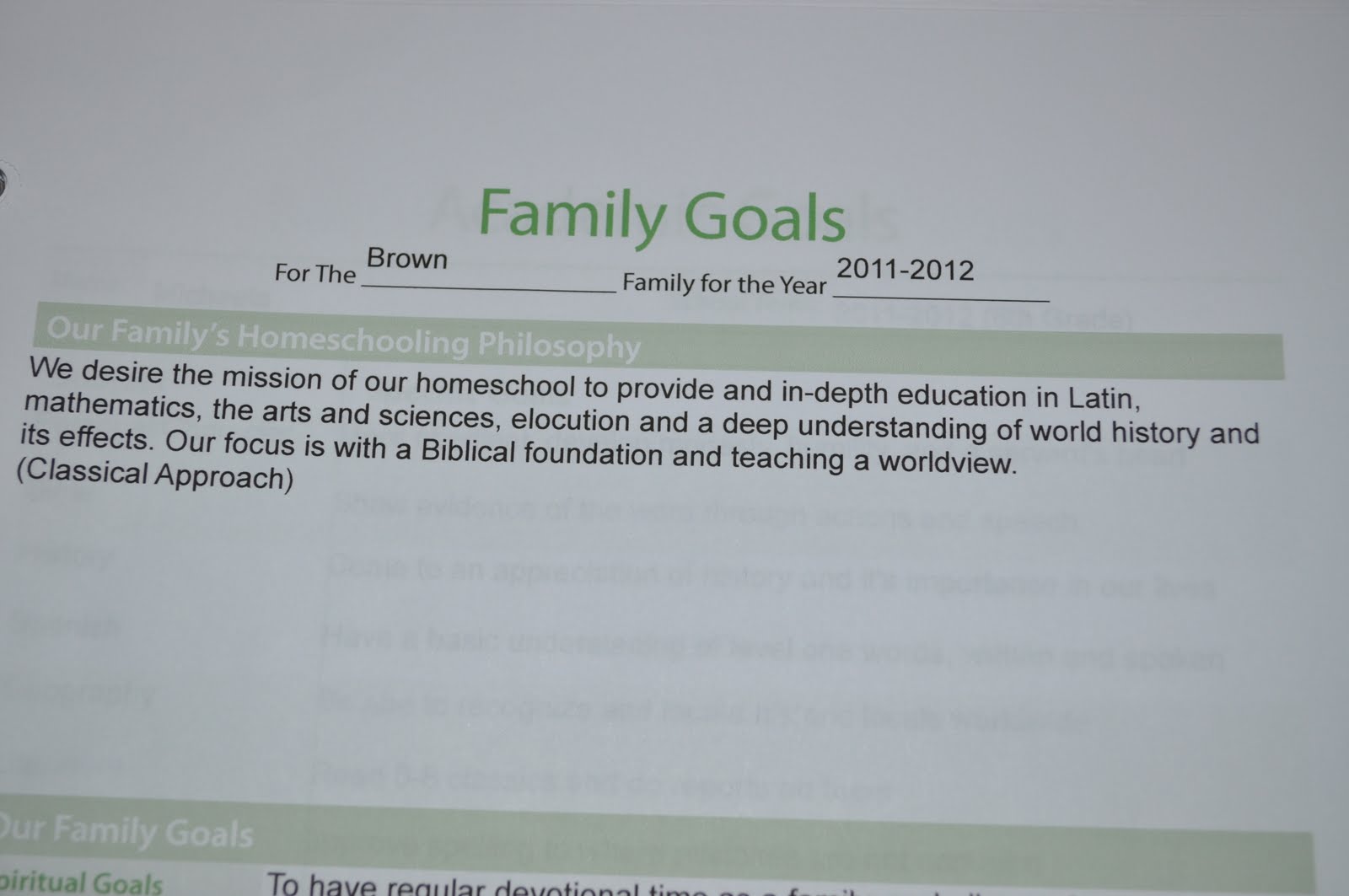
  • Planning/Goals (this is where I keep my academic goals for each child and our family goals. I also keep my 12 year planning pages from the SP, but my writing is so sloppy I don't want to share). Here are some of our goal pages. I typed on them in the SP, saved them to the individual planners, and printed them out. I will have them there if anything happens to these or I need to tweak them.


  • Blog (here I keep my forms for give-aways and my ideas sheet, both from SP)
Again, please ignore my scribble...I can write neatly, I just don't very often


  • Memories (in this tab we will put recounts of special things, and we have this form from SP in there. My daughter has taken it on herself to write down cute things her little brother says on this form.)

  • Budget (SP forms, no pic, for obvious reasons)  ;)
  • Bible Study (I am doing the "Stepping Heavenward" now, but the SP has forms for Bible, prayer journal, etc. too)
  • Grocery List (These are all SP forms. I typed the usuals in, and I keep the pantry/freezer log in here too so I know what I have already.) 


  • Medical Info (SP)
  • Library/Reading logs (SP)
  • Homeschool Convention notes
  • Wishlists (SP)
  • Important Papers 
  • (A few blanks for later additions)
  • Calender (many different types in the SP)
NOW, WE MOVE ON TO MY LESSON PLAN BOOK (which, like I said, I love this aspect because this is where the other planners gave me so much trouble)

Background: I am schooling a 6 year old Lower Grammar level, and a 13 year old Dialectic level student. The way I plan their days is very different, and therefore I need to do their lesson plans differently. I will explain with the pictures. 

This is a 1.5" binder, also "prettied up"


Inside:

Another copy of our annual plans, so I can plan accordingly


I have the weeks divided with numbered dividers:


Here is where it gets broken down (my lesson plans are still being worked on, so they are no where near complete):

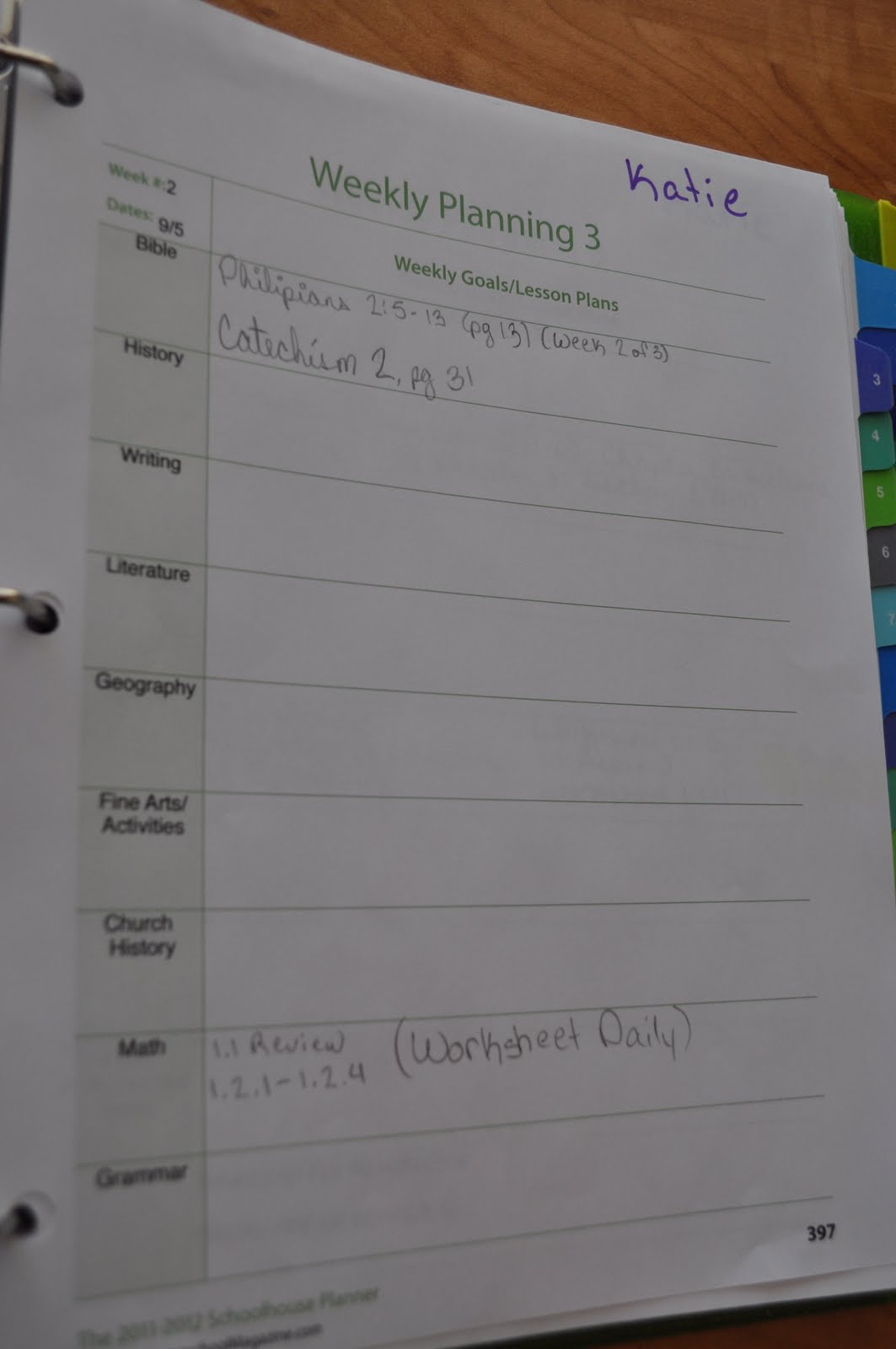
Some of our schooling is joint, and I need a lesson plan for that that is not repetitive, so, this is my lesson plan. It is a SP form, and I wrote my name at the top. It has both kids name, so something like my weekly meeting with DD can go on here, but not on Troy's. This will keep me on track. 


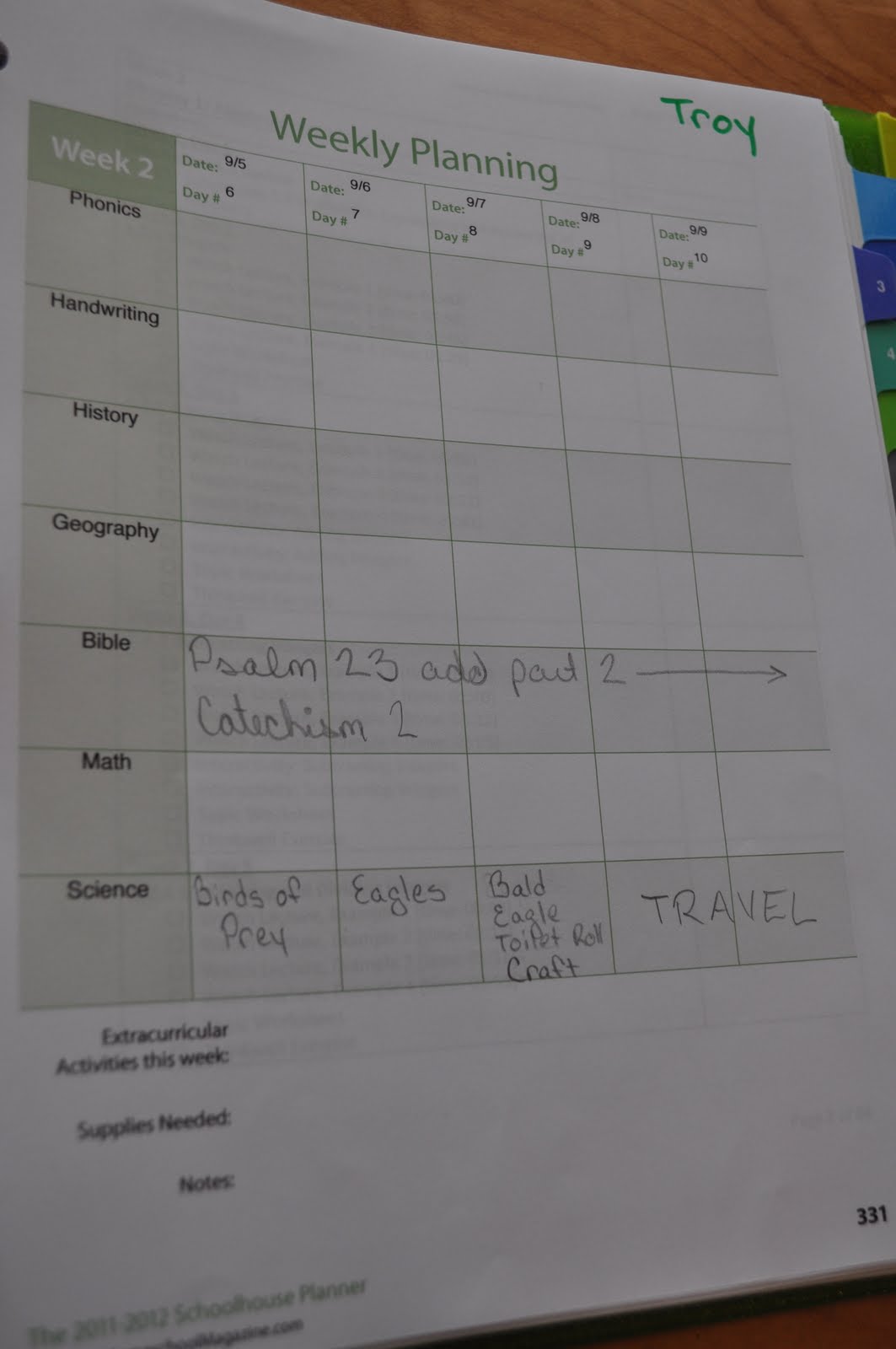
Troy is still little, and I will guide him in all his studies, so he needs a more specific daily plan:


Then there is Michaela. I will meet with her on Sunday night, show her what she has to get done by the end of week, and let her copy it to her own planner, and spread it out between days the way she sees fit. This is so she can utilize time management. If something has to be done on a certain day, I will highlight it for her and note which day. 


As you can see, I utilized many different forms, and I didn't even scratch the surface. I bought this planner, it was not given to me to review. I was not asked to write a review or a "how-to" post. I just did this because I am loving this planner, and want to show others that it can work for them too. 

The folks at The Old Schoolhouse are so helpful, and that is an extra perk. I have been able to go to them with questions and get help and advice, and always in a quick and personal manner. What other homeschooling resource offers homeschooling families so much? I haven't found one yet. 

The Old Schoolhouse offers several planners to meet your needs. Here is the link to all the different planners if you'd like to look:  Schoolhouse Store

And here is a sample of the planner: Sample

I hope this is helpful to someone out there...


Please check out our TOS Homeschool crew blog hop!

Crew Blog Hop


Photobucket